Digitization guide
Why You Should Digitize Your Old Photos
A printed photo is a single point of failure — one copy, one flood or fire away from being gone for good. Here's what digitizing actually protects against, and what a good scan should include.
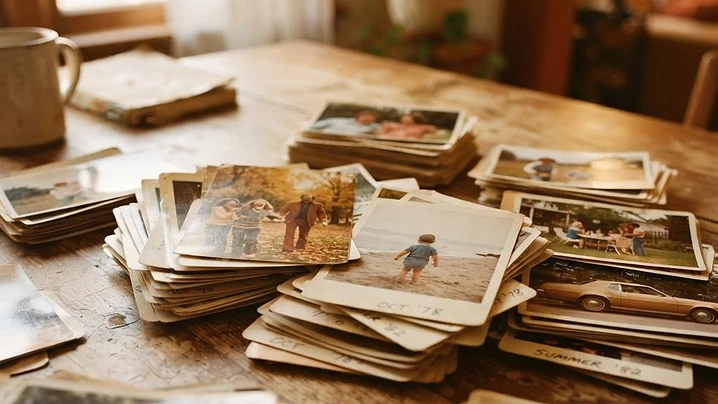
The one-copy problem
Most family photo collections exist as exactly one physical copy. That's fine until a flood, fire, move, or simple decades of fading happens — at which point there's no backup, no negative on file somewhere, nothing. Digitizing doesn't replace the original; it removes the risk that the original is the only thing standing between the memory and it being gone entirely.
What digitizing actually protects against
- Physical loss — fire, flood, theft, or a box that simply doesn't make it through a move.
- Gradual fading and color shift, which happens to every printed photo eventually regardless of how well it's stored.
- The single-copy problem when photos need to be shared among family members without splitting up or risking the originals.
- Simply not being able to find or enjoy photos that are sitting in a shoebox instead of somewhere actually viewable.
What a good scan should actually include
Resolution matters — a scan needs to be sharp enough to reprint at or beyond the original size, not just "good enough" for a small screen. The back of a photo is worth scanning too, since captions, dates and names written there are often as valuable as the image itself.
Organization matters just as much as image quality. A folder of a thousand identically-named files is barely more useful than the original shoebox — photos sorted by album or year, in clearly named folders, are what actually make a digitized collection usable.
What it costs
Photo scanning starts at $0.35 per photo, including a 600 DPI scan, hand counting, and organized folders. Slides and negatives start at $0.45 each. Every order includes delivery on a USB flash drive and a secure cloud download, with free local pickup in the Chicago area.
Ready when you are
Free local pickup in Chicago, hand-counted and scanned at 600 DPI, delivered on USB and secure cloud.
FAQ
Common questions
What resolution should old photos be scanned at?+
600 DPI is sharp enough to reprint at or beyond the original size for most standard prints, and is the resolution used for every scanning order.
Is it worth scanning the back of photos too?+
Often yes — captions, dates and names written on the back are part of the memory and are easy to lose track of once photos are separated from their physical backs.
How much does it cost to digitize a whole collection?+
Photo scanning starts at $0.35 per photo, slides and negatives at $0.45 each. Packages for common collection sizes are also available.
More guides
Restoration guide
How to Restore a Water-Damaged Photo
What water actually does to a photograph, what to do in the first 48 hours, and what professional restoration can bring back.
Restoration guide
How to Repair a Torn or Creased Photo
Why tape and glue make things worse, and how torn, folded or missing pieces of a photo get rebuilt by hand.
Restoration guide
Colorizing Black-and-White Photos: What to Expect
How hand colorization works, which photos colorize best, and where the process has real limits.
Get a free quote
Bigger jobs, bulk discounts, anything weird — let's figure it out.
Our packages cover most orders, but if you've got boxes of slides, a wall of albums, or a stack of tapes that won't fit a preset, tell us about it. We'll send a custom quote — usually within a day.
- • Custom pricing for 500+ photos or 3+ tapes
- • Mixed-format collections welcome
- • Free Chicago pickup, no matter the size